Oracle Database Vault - Part 9 ( Creating a Realm)

on 2:08 AM

Realms : It is defined as boundary or protection zone around application data.


Click on "Create" and provide the appropriate Name and Description.


Click "Ok"-> Select new "Realm" and Click on "Edit" . 


Use the drop-down list to select the owner,object type and enter the object name.

To restrict access to an entire schema,leave the " % " in the object name field.


Click ok 

Now , if we try to query then it will return ORA-01031: insufficient privileges


Oracle Database Vault - Part 8 ( Assigning the Rule sets)

on 2:06 PM

By creating the Rule Set , we can unable the functionality of the SYS User.

Steps : Login to Database Vault Page.

Select Rule Sets


Click on Create


Provide the name as : SYS_ADMIN_USER -> OK

Select from List " SYS_ADMIN_USER" and click on edit


Scroll down to " Rules Associated to the Rule Set" and Click on "Create"


Use the name “SYS_ADMIN_USER”
Enter this in the expression  field – dvf.f$session_user = ‘SYS’


Click on OK to save it, then on OK again.


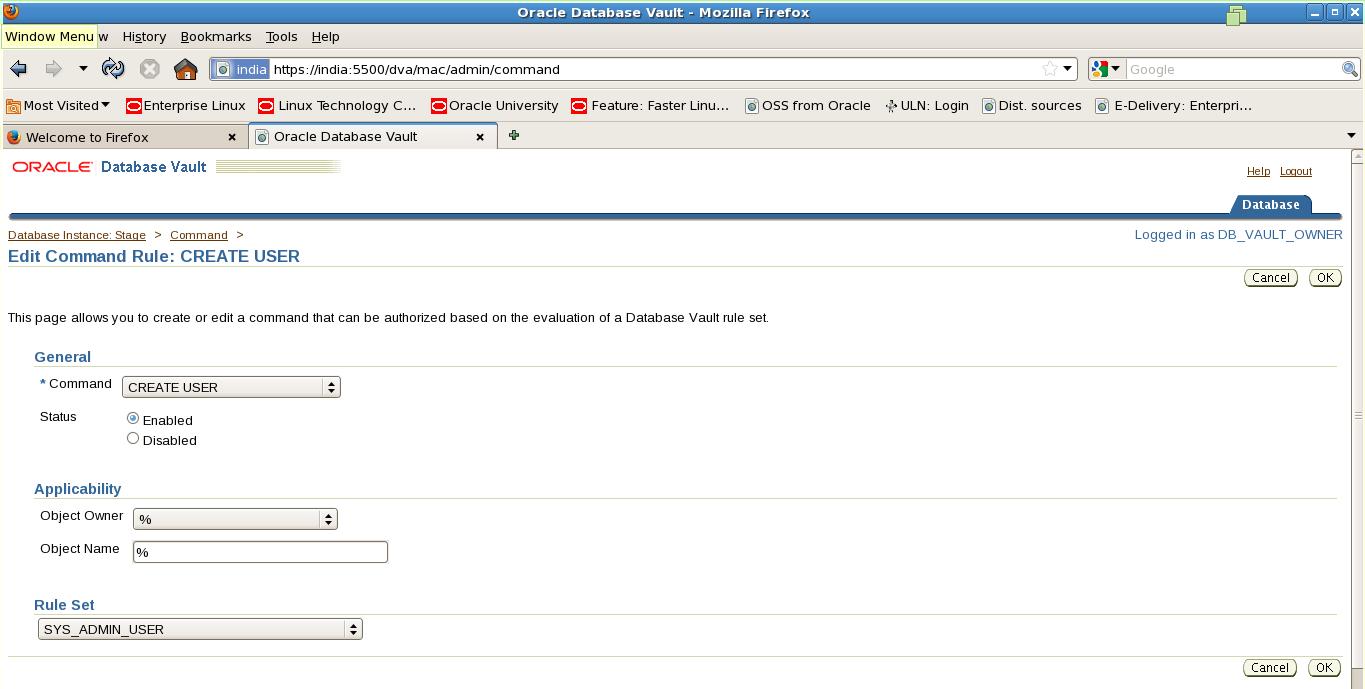
Go back to the home page, and click on “Command Rules”


Select the “CREATE USER” item and click on “Edit”


Leave the command as “CREATE USER”, and in the “RULE SET” drop-down choose “SYS_ADMIN_USER”


Click on OK

The SYS user can now create users in the database.


Oracle Database Vault - Part 7 ( Restrictions on SYS User Privileges)

on 9:36 AM

By enabling database vault it restrict the SYS user from performing some database administration task.


Oracle Database Vault - Part 6 ( Logging into the Database Vault Web Page )

on 9:14 AM


Oracle Database Vault - Part 5 ( Granting the required privileges )

on 9:09 AM


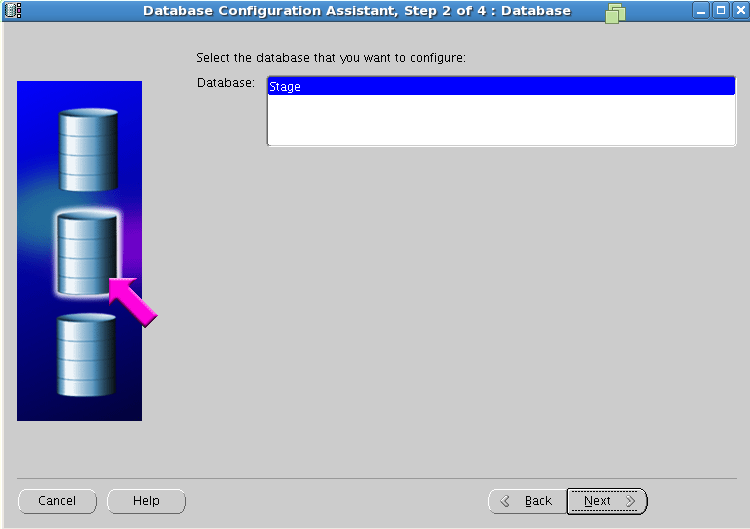
Oracle Database Vault - Part 4 ( Implementing Database Vault with DBCA )

on 9:06 AM


Oracle Database Vault - Part 3 ( Build Database Control )

on 8:59 AM


Oracle Database Vault - Part 2 ( Enable Oracle Database Vault by relinking )

on 8:41 AM

We need to stop the Listener,database,database control and then enable the oracle database vault.

[oracle@india ~]$ . oraenv
ORACLE_SID = [Stage] ? 
The Oracle base for ORACLE_HOME=/u01/app/oracle/oracle11g/product/11.2.0.4/dbhome_2 is /u01/app/oracle

[oracle@india ~]$ lsnrctl stop

[oracle@india ~]$ sqlplus / as sysdba

SQL>shutdown immediate;

[oracle@india ~]$ emctl stop dbconsole

# Enable the oracle database vault.

[oracle@india ~]$ cd $ORACLE_HOME/rdbms/lib

[oracle@india ~]$ make -f ins rdbms.mk dv on lbac on ioracle

# Start the Database and Listener.

Sql>startup;

[oracle@india ~]$ lsnrctl start

Oracle Database Vault - Part 1 ( Introduction )

on 8:23 AM

Oracle Database Vault :

The Traditional Standards guards the database by using the firewall, but majority of the security breaches are reported with in the organization by using the high privileged user such as DBA , IT Admin.


Oracle delivers the first and only privileged database user access control solution,"Oracle Database Vault ".

It is delivered by using the separation of duty and highly flexible control access policies such as Realms,factors and command rules.


Realms : It is defined as boundary or protection zone around application data.

Factor & Command Rule : It work together to control the access of Database.

Sqltext_to_Sql id

on 6:34 AM

dbms_sqltune_util0.sqltext_to_sqlid 

A RDBMS package used to find the sqlid.