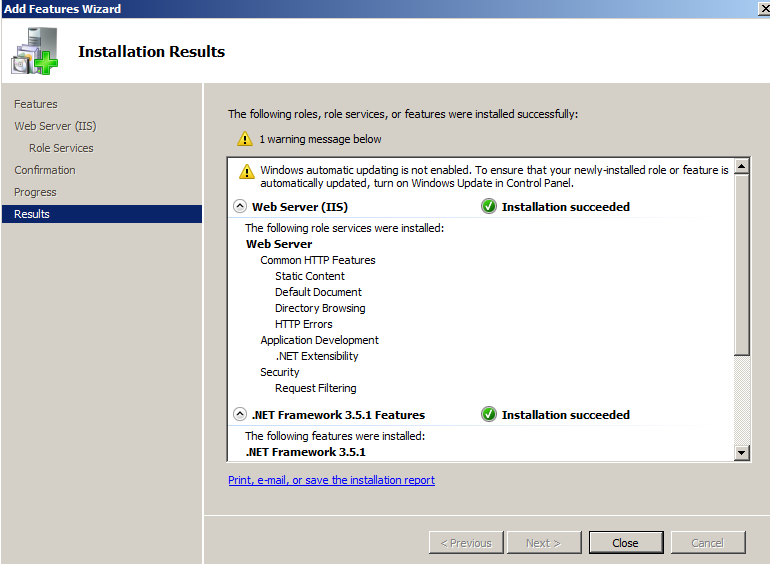
Configure Microsoft .NET Framework 3.5 SP 1

on 5:18 AM


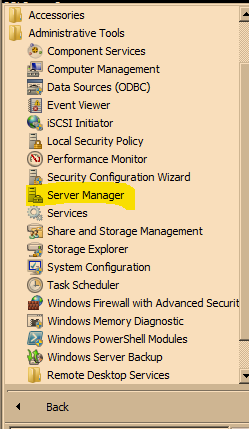
Go to > Start > Server Manager 


Data Scientist

on 10:52 AM

A Data Scientist is a person employed to analyse and interpret complex digital data, such as the usage statistics of a website, especially in order to assist a business in its decision-making.

A Data Scientist is a person who possesses most of the above mentioned Math + Technology + Business  skill sets and extracts valuable information from the data for business".

What is Data Science ?

on 12:16 AM


Data Science is perfect amalgamation of programming, analytical, and business skills that allows extracting meaningful insights from raw and unstructured data.

Data Science is a study which deals with identification, representation and extraction of meaningful information from data sources to be used for business purposes.

With enormous amount of facts generating each minute, the requirement to extract the useful insights is a must for the businesses to stand out from the crowd. DBA setup the database and data storage in order to facilitate the process of data mining, data munging and other processes. Every other organization is running behind profits, but the companies that formulate efficient strategies based on fresh and useful insights always win the game in the long-run.


Resolve MRP0 WAIT_FOR_LOG in Real Time Apply Service

on 5:00 AM

Issue :

We often come across a scenario in which MRP0 process stop applying logs and the status of it will be WAIT_FOR_LOG.

Workaround :

Check LNS on Primary Database: Writing

SQL> select inst_id, process, status, thread#, sequence#, block#, blocks from gv$managed_standby where process in ('RFS','LNS','MRP0');

   INST_ID PROCESS   STATUS          THREAD#  SEQUENCE#     BLOCK#     BLOCKS
---------- --------- ------------ ---------- ---------- ---------- ----------
         2 LNS       WRITING               2         74      17873          1
         1 LNS       WRITING               1         79      24255          1


LNS Process :

In Data Guard, LNS process performs actual network I/O and waits for each network I/O to complete. 

The NET_TIMEOUT attribute is used only when the LGWR process transmits redo data using a LGWR Network Server(LNS) process.

Check MRP0 on Standby Database: WAIT_FOR_LOG


SQL> select inst_id, process, status, thread#, sequence#, block#, blocks from gv$managed_standby where process in ('RFS','LNS','MRP0');

   INST_ID   PROCESS   STATUS          THREAD#  SEQUENCE#     BLOCK#     BLOCKS
         
         2 RFS       IDLE                  0          0          0          0
         2 RFS       IDLE                  0          0          0          0
         2 RFS       IDLE                  0          0          0          0
         2 RFS       IDLE                  1         79      25361          1
         2 RFS       IDLE                  0          0          0          0
         2 RFS       IDLE                  0          0          0          0
         2 MRP0   WAIT_FOR_LOG          2         74          0          0
       
Check Broker Status

Check the apply lag by the broker.

Database - standb

  Role:            PHYSICAL STANDBY
  Intended State:  APPLY-ON
  Transport Lag:   0 seconds
  Apply Lag:       2 hour(s) 55 minutes 47 seconds
  Real Time Query: OFF
  Instance(s):
    standb1
    standb2 (apply instance)

Database Status:
SUCCESS

 Apply Lag: We can clearly see the difference of 2 hour(s) 55 minutes 47 seconds

Re-enable Standby Database

DGMGRL> enable database standb;
Enabled.


Now check the status again.

SQL> select inst_id, process, status, thread#, sequence#, block#, blocks from gv$managed_standby where process in ('RFS','LNS','MRP0');

   INST_ID PROCESS   STATUS          THREAD#  SEQUENCE#     BLOCK#     BLOCKS
---------- --------- ------------ ---------- ---------- ---------- ----------
         1 RFS       RECEIVING             0          0          0          0
         2 RFS       IDLE                  0          0          0          0
         2 RFS       IDLE                  0          0          0          0
         2 RFS       IDLE                  0          0          0          0
         2 RFS       IDLE                  1         80         58          1
         2 RFS       IDLE                  0          0          0          0
         2 RFS       IDLE                  0          0          0          0
         2 MRP0      APPLYING_LOG          1         79      24581      25582

Now it’s back to normal. APPLYING_LOG is the normal status for real-time applying service.

Error : "The guest operating system has locked the CD-ROM door. Disconnect anyway and override the lock?"

on 10:08 AM

Error : 


Workaround :

This is mainly due to CD/DVD drive is locked by virtual machine.

We simply need to unmount the CD/DVD.

From Terminal :


**** Install VM Tools ****

on 11:40 AM

# cd /media/vmware

# cp VMwaretools.9.tar.gz /tmp/

# cd /tmp/

# tar -xvf VMwaretools.9.tar.gz

# ls

# cd VMware-tool-distrib/

# ./VMware-install.pl

OEL 6 Installation

on 4:42 AM


Note : If we want the " Desktop " Version / Graphical Version  we can select here.


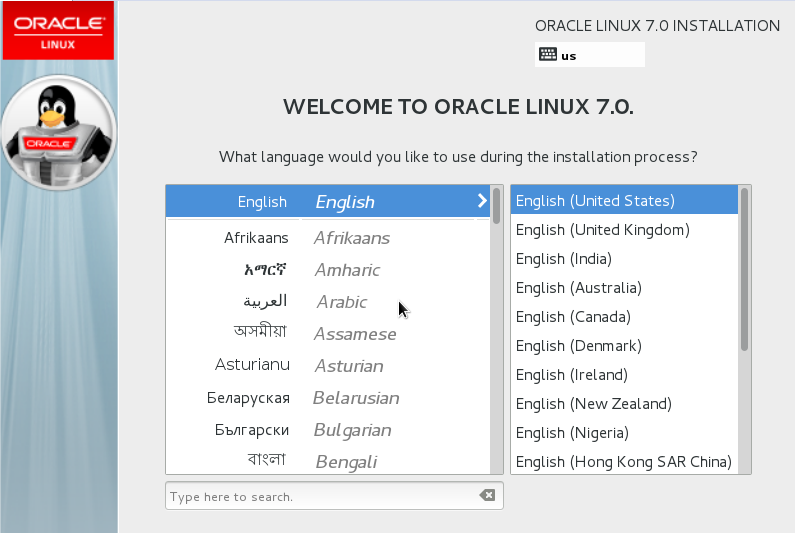
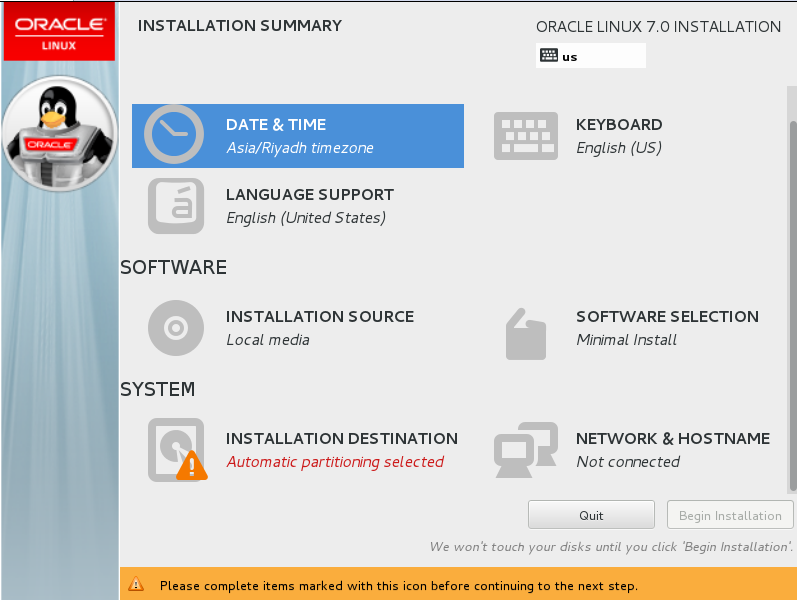
OEL 7 Installation

on 2:14 PM


Some New Featues of Oracle Database 18c :

on 11:00 PM


Simplified Image-based Oracle Database Installation : 

With Oracle 18c , the database software is in image file for download and installation.

RPM - Based Oracle Database Installation : 

By using rpm-ivh command , an RPM based database installation performs pre - installation validations, ownshership
to users and groups, maintains the oracle inventory.

Read-Only Oracle Home : 

If we chose a read only oracle home , then the database tools and process write under the ORACLE_BASE path instead
of under the oracle home directory.

Local Switch Home Command for Patching Databases

Oracle came up with new built-in tool , " rhpctl " that enables you to switch from current oracle database home to a patched
oracle database home.

Exploring Oracle 12c

on 10:59 PM