SQL Server DROP DATABASE

on 11:04 AM


Script for Database Creation in Sql Server

on 1:01 PM

CREATE DATABASE [test1]
 CONTAINMENT = NONE
 ON  PRIMARY
( NAME = N'test1', FILENAME = N'C:\Program Files\Microsoft SQL Server\MSSQL12.BIOSTAR2\MSSQL\DATA\test1.mdf' , SIZE = 4096KB , FILEGROWTH = 1024KB )
 LOG ON
( NAME = N'test1_log', FILENAME = N'C:\Program Files\Microsoft SQL Server\MSSQL12.BIOSTAR2\MSSQL\DATA\test1_log.ldf' , SIZE = 1024KB , FILEGROWTH = 10%)
GO
ALTER DATABASE [test1] SET COMPATIBILITY_LEVEL = 120
GO
ALTER DATABASE [test1] SET ANSI_NULL_DEFAULT OFF
GO
ALTER DATABASE [test1] SET ANSI_NULLS OFF
GO
ALTER DATABASE [test1] SET ANSI_PADDING OFF
GO
ALTER DATABASE [test1] SET ANSI_WARNINGS OFF
GO
ALTER DATABASE [test1] SET ARITHABORT OFF
GO
ALTER DATABASE [test1] SET AUTO_CLOSE OFF
GO
ALTER DATABASE [test1] SET AUTO_SHRINK OFF
GO
ALTER DATABASE [test1] SET AUTO_CREATE_STATISTICS ON(INCREMENTAL = OFF)
GO
ALTER DATABASE [test1] SET AUTO_UPDATE_STATISTICS ON
GO
ALTER DATABASE [test1] SET CURSOR_CLOSE_ON_COMMIT OFF
GO
ALTER DATABASE [test1] SET CURSOR_DEFAULT  GLOBAL
GO
ALTER DATABASE [test1] SET CONCAT_NULL_YIELDS_NULL OFF
GO
ALTER DATABASE [test1] SET NUMERIC_ROUNDABORT OFF
GO
ALTER DATABASE [test1] SET QUOTED_IDENTIFIER OFF
GO
ALTER DATABASE [test1] SET RECURSIVE_TRIGGERS OFF
GO
ALTER DATABASE [test1] SET  DISABLE_BROKER
GO
ALTER DATABASE [test1] SET AUTO_UPDATE_STATISTICS_ASYNC OFF
GO
ALTER DATABASE [test1] SET DATE_CORRELATION_OPTIMIZATION OFF
GO
ALTER DATABASE [test1] SET PARAMETERIZATION SIMPLE
GO
ALTER DATABASE [test1] SET READ_COMMITTED_SNAPSHOT OFF
GO
ALTER DATABASE [test1] SET  READ_WRITE
GO
ALTER DATABASE [test1] SET RECOVERY SIMPLE
GO
ALTER DATABASE [test1] SET  MULTI_USER
GO
ALTER DATABASE [test1] SET PAGE_VERIFY CHECKSUM 
GO
ALTER DATABASE [test1] SET TARGET_RECOVERY_TIME = 0 SECONDS
GO
ALTER DATABASE [test1] SET DELAYED_DURABILITY = DISABLED
GO
USE [test1]
GO
IF NOT EXISTS (SELECT name FROM sys.filegroups WHERE is_default=1 AND name = N'PRIMARY') ALTER DATABASE [test1] MODIFY FILEGROUP [PRIMARY] DEFAULT
GO


Creating Database in SQL Server

on 12:57 PM


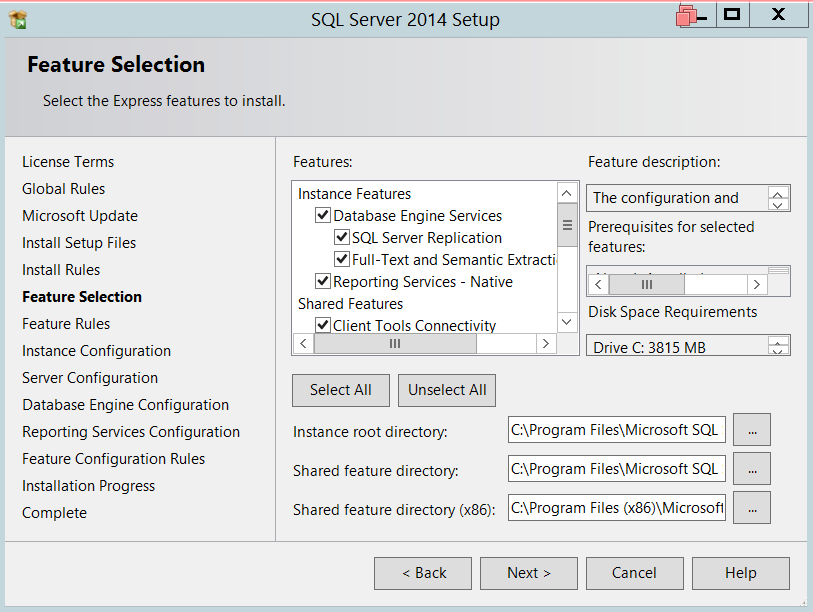
Steps to Install Microsoft SQL Server Express 2014

on 3:05 AM


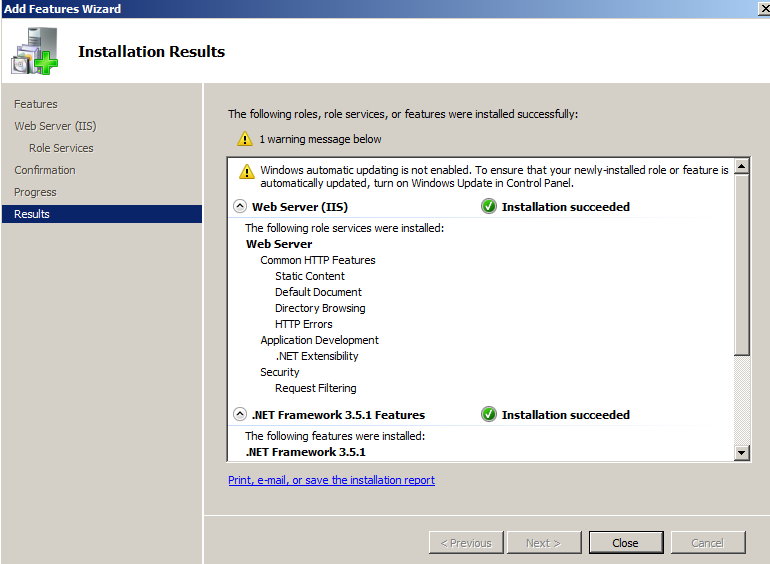
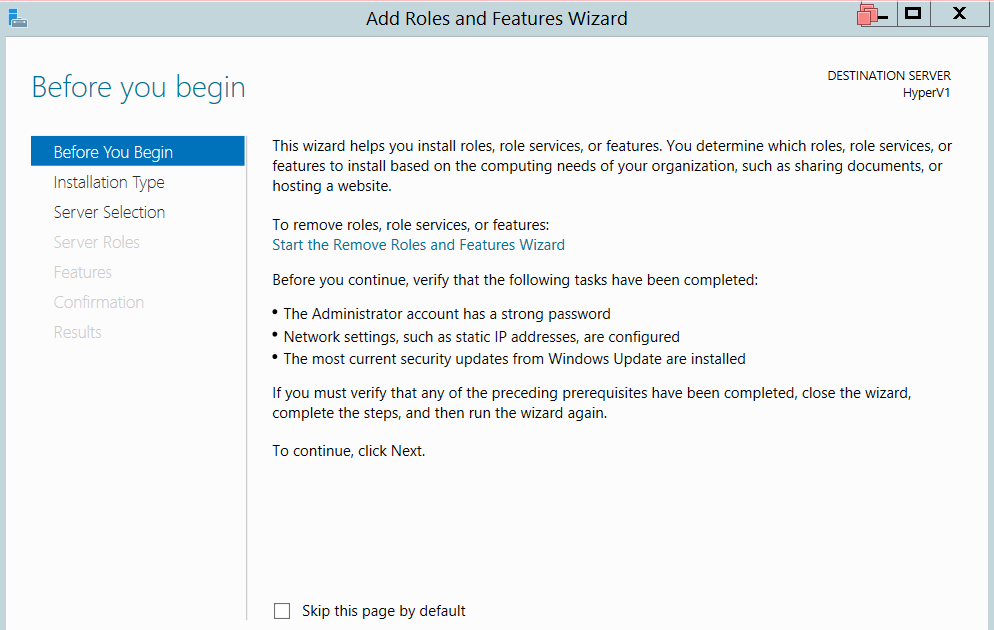
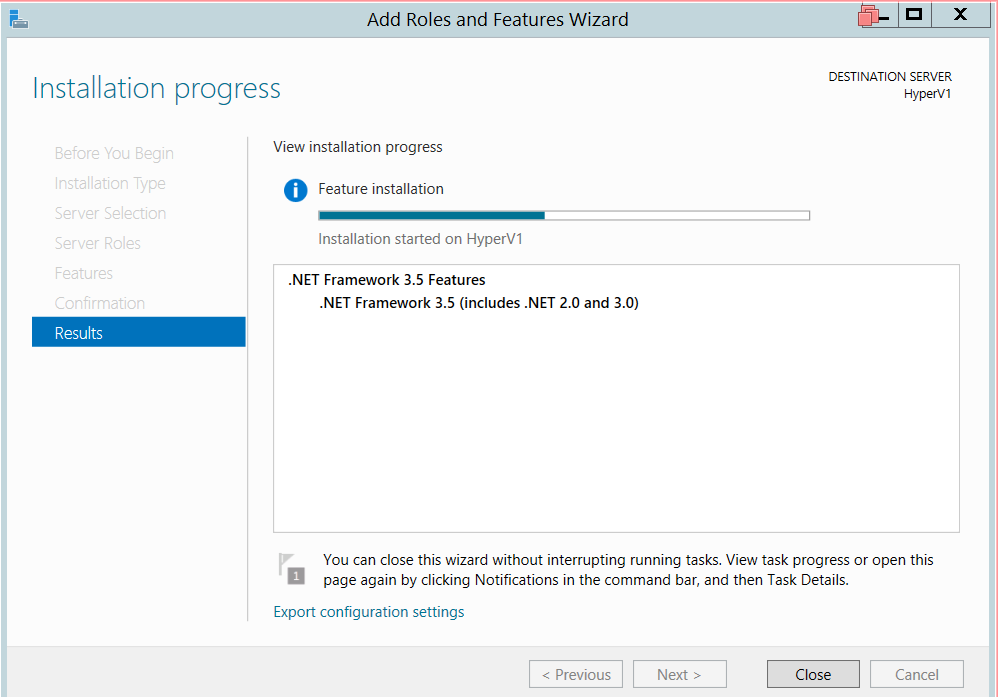
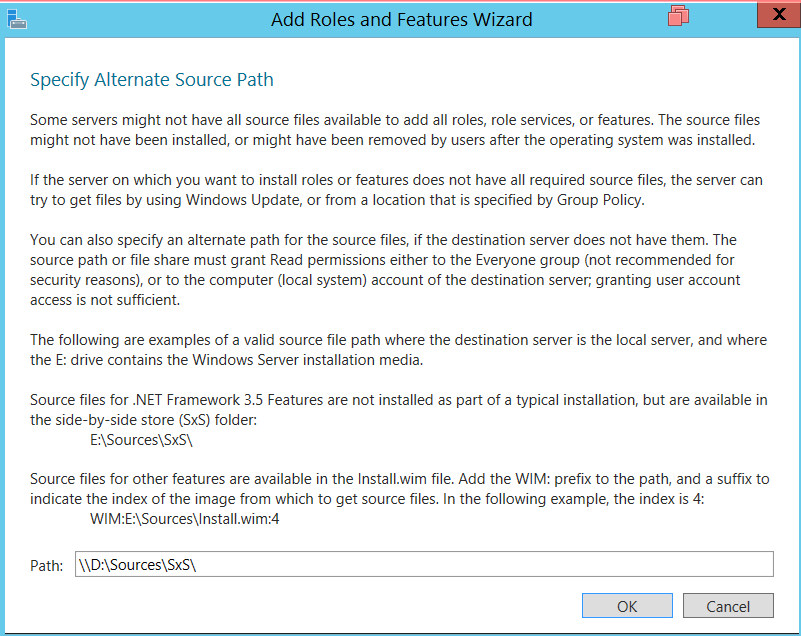
.NET Framework 3.5 Installation on Windows X

on 1:00 PM


Configure Microsoft .NET Framework 3.5 SP 1

on 5:18 AM


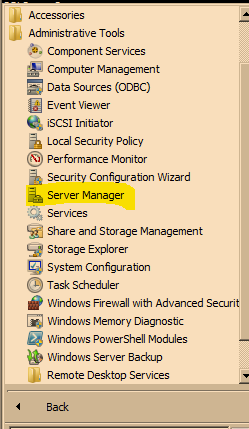
Go to > Start > Server Manager 


Data Scientist

on 10:52 AM

A Data Scientist is a person employed to analyse and interpret complex digital data, such as the usage statistics of a website, especially in order to assist a business in its decision-making.

A Data Scientist is a person who possesses most of the above mentioned Math + Technology + Business  skill sets and extracts valuable information from the data for business".

What is Data Science ?

on 12:16 AM


Data Science is perfect amalgamation of programming, analytical, and business skills that allows extracting meaningful insights from raw and unstructured data.

Data Science is a study which deals with identification, representation and extraction of meaningful information from data sources to be used for business purposes.

With enormous amount of facts generating each minute, the requirement to extract the useful insights is a must for the businesses to stand out from the crowd. DBA setup the database and data storage in order to facilitate the process of data mining, data munging and other processes. Every other organization is running behind profits, but the companies that formulate efficient strategies based on fresh and useful insights always win the game in the long-run.


Resolve MRP0 WAIT_FOR_LOG in Real Time Apply Service

on 5:00 AM

Issue :

We often come across a scenario in which MRP0 process stop applying logs and the status of it will be WAIT_FOR_LOG.

Workaround :

Check LNS on Primary Database: Writing

SQL> select inst_id, process, status, thread#, sequence#, block#, blocks from gv$managed_standby where process in ('RFS','LNS','MRP0');

   INST_ID PROCESS   STATUS          THREAD#  SEQUENCE#     BLOCK#     BLOCKS
---------- --------- ------------ ---------- ---------- ---------- ----------
         2 LNS       WRITING               2         74      17873          1
         1 LNS       WRITING               1         79      24255          1


LNS Process :

In Data Guard, LNS process performs actual network I/O and waits for each network I/O to complete. 

The NET_TIMEOUT attribute is used only when the LGWR process transmits redo data using a LGWR Network Server(LNS) process.

Check MRP0 on Standby Database: WAIT_FOR_LOG


SQL> select inst_id, process, status, thread#, sequence#, block#, blocks from gv$managed_standby where process in ('RFS','LNS','MRP0');

   INST_ID   PROCESS   STATUS          THREAD#  SEQUENCE#     BLOCK#     BLOCKS
         
         2 RFS       IDLE                  0          0          0          0
         2 RFS       IDLE                  0          0          0          0
         2 RFS       IDLE                  0          0          0          0
         2 RFS       IDLE                  1         79      25361          1
         2 RFS       IDLE                  0          0          0          0
         2 RFS       IDLE                  0          0          0          0
         2 MRP0   WAIT_FOR_LOG          2         74          0          0
       
Check Broker Status

Check the apply lag by the broker.

Database - standb

  Role:            PHYSICAL STANDBY
  Intended State:  APPLY-ON
  Transport Lag:   0 seconds
  Apply Lag:       2 hour(s) 55 minutes 47 seconds
  Real Time Query: OFF
  Instance(s):
    standb1
    standb2 (apply instance)

Database Status:
SUCCESS

 Apply Lag: We can clearly see the difference of 2 hour(s) 55 minutes 47 seconds

Re-enable Standby Database

DGMGRL> enable database standb;
Enabled.


Now check the status again.

SQL> select inst_id, process, status, thread#, sequence#, block#, blocks from gv$managed_standby where process in ('RFS','LNS','MRP0');

   INST_ID PROCESS   STATUS          THREAD#  SEQUENCE#     BLOCK#     BLOCKS
---------- --------- ------------ ---------- ---------- ---------- ----------
         1 RFS       RECEIVING             0          0          0          0
         2 RFS       IDLE                  0          0          0          0
         2 RFS       IDLE                  0          0          0          0
         2 RFS       IDLE                  0          0          0          0
         2 RFS       IDLE                  1         80         58          1
         2 RFS       IDLE                  0          0          0          0
         2 RFS       IDLE                  0          0          0          0
         2 MRP0      APPLYING_LOG          1         79      24581      25582

Now it’s back to normal. APPLYING_LOG is the normal status for real-time applying service.

Error : "The guest operating system has locked the CD-ROM door. Disconnect anyway and override the lock?"

on 10:08 AM

Error : 


Workaround :

This is mainly due to CD/DVD drive is locked by virtual machine.

We simply need to unmount the CD/DVD.

From Terminal :